Connect every account
Link Google, Apple iCloud, and Microsoft Outlook. Add as many accounts as you want.
Every calendar in one trustworthy view — and booking links that know about your dentist appointment, not just your meetings.
Works with
Google CalendarApple iCloudMicrosoft OutlookExchangeOffice 365any iCal feedThe unified view
Before
After OCTRuTA
What's in the free app
Everything you need to merge every calendar you own into one trustworthy view — at no cost.
Unified view
Connect as many accounts as you like and see them on a single timeline — no more app-switching to figure out when you're actually free.
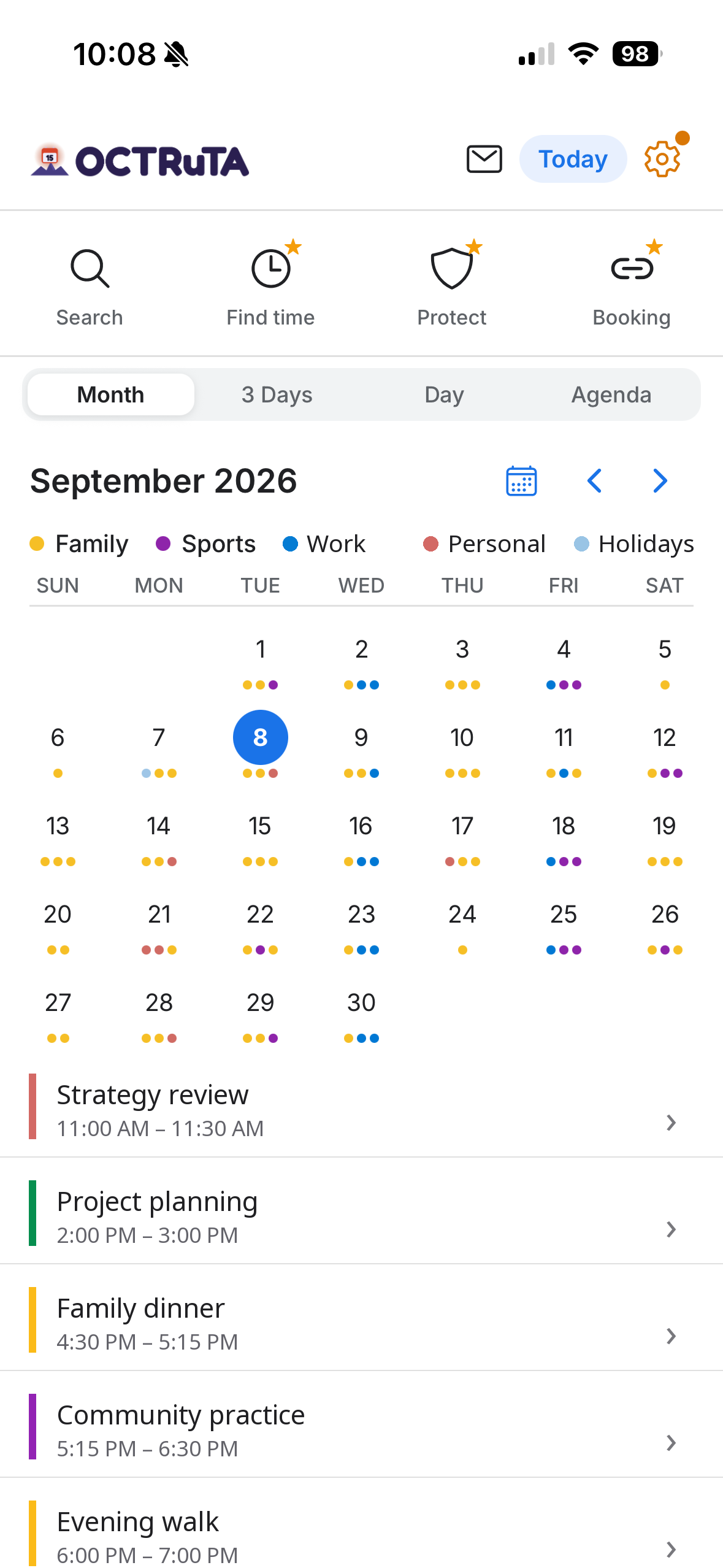
Link Google, Apple iCloud, and Microsoft Outlook. Add as many accounts as you want.
Pull in any private iCal feed URL — perfect for calendars that don't live in a major account.
Work, personal, and family calendars merged into a single view you can actually trust.
Every event keeps its source color so you can tell work from personal at a glance.
Show or hide any calendar with a tap to focus on just what matters right now.
Zoom from the next hour to the whole month with the view that fits the moment.
Powerful editing
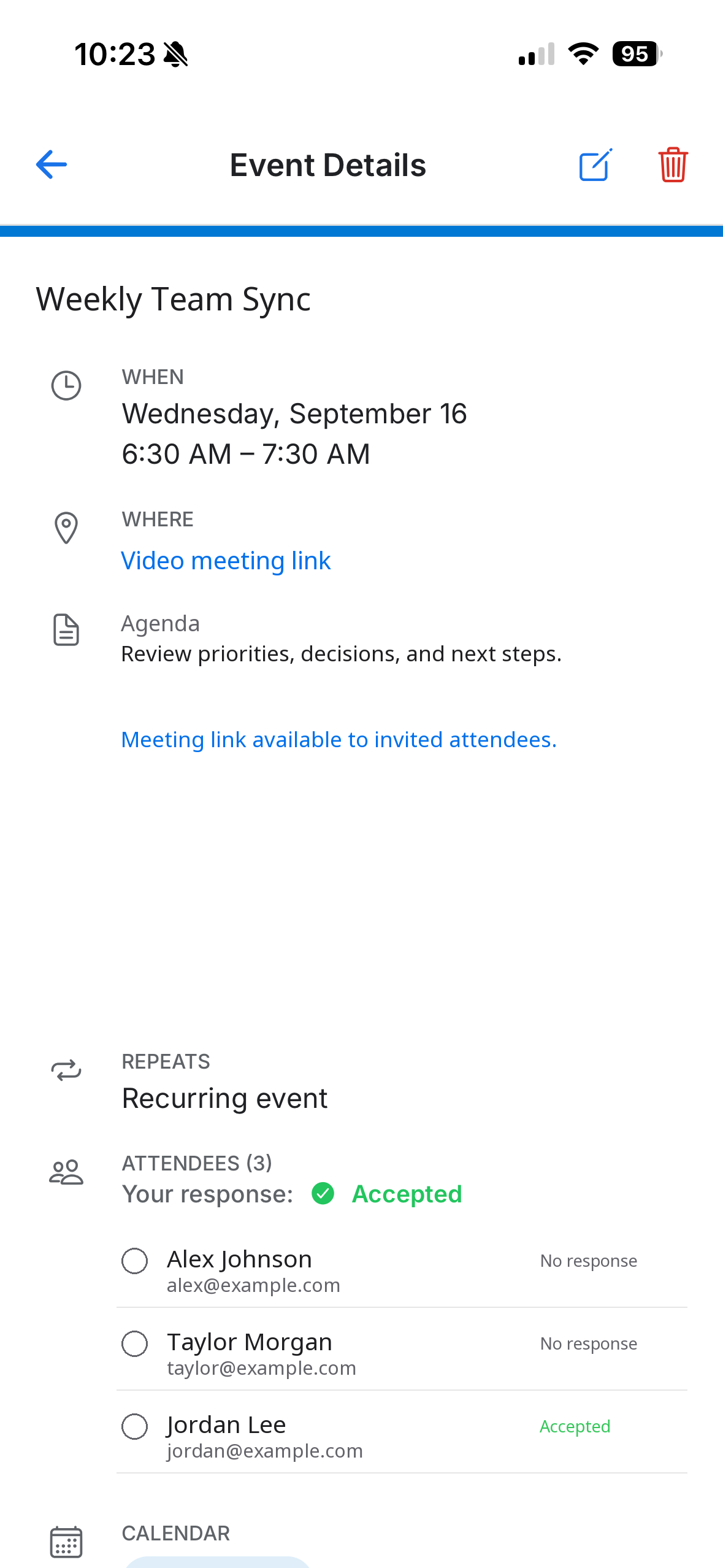
Make changes on any connected calendar and they sync back automatically.
When invitees share their calendars, see their free/busy as you schedule.
Daily, weekly, monthly, or your own custom repeat schedule.
Locations, notes, attendees, invitations, and RSVPs — all in one place.
Attach the agenda, ticket, or directions right alongside the event they belong to.
Add Microsoft Teams or Google Meet links in a tap, so the join button is right there.
Events show in correct local time and stay correct when you travel.
Set one or more custom alerts per event so nothing slips through.
Anywhere access
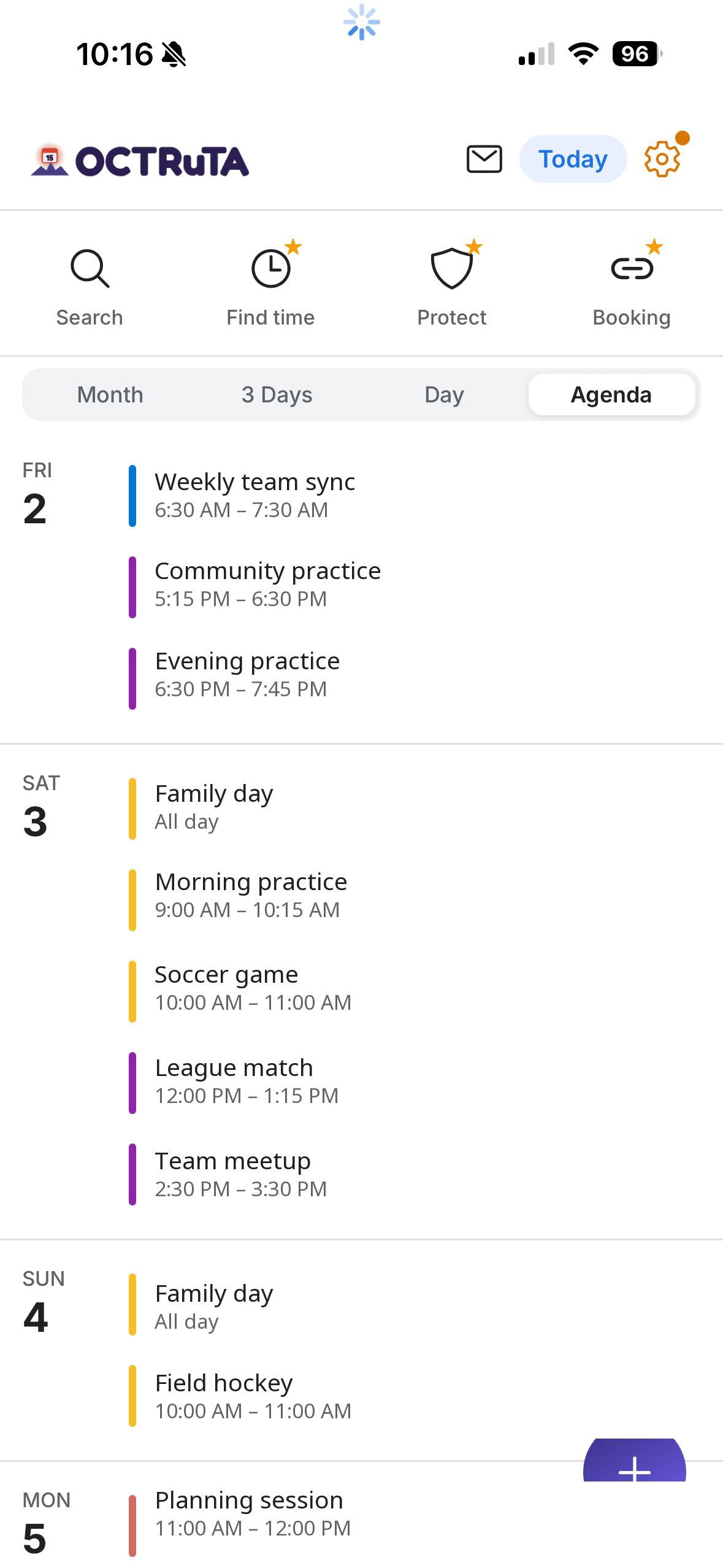
Your events are cached on-device, so you can check your schedule without a connection.
Small, medium, and large widgets surface what's next without opening the app.
Your setup and preferences follow you from phone to tablet.
Match OCTRuTA to your phone and your mood.
No ads, no data selling. A lightweight attribution SDK shows us which campaigns bring people to the app — nothing more. Credentials encrypted; most data stays on your device.
How it works
Sign in to Google and Microsoft, or use the calendars already on your device.
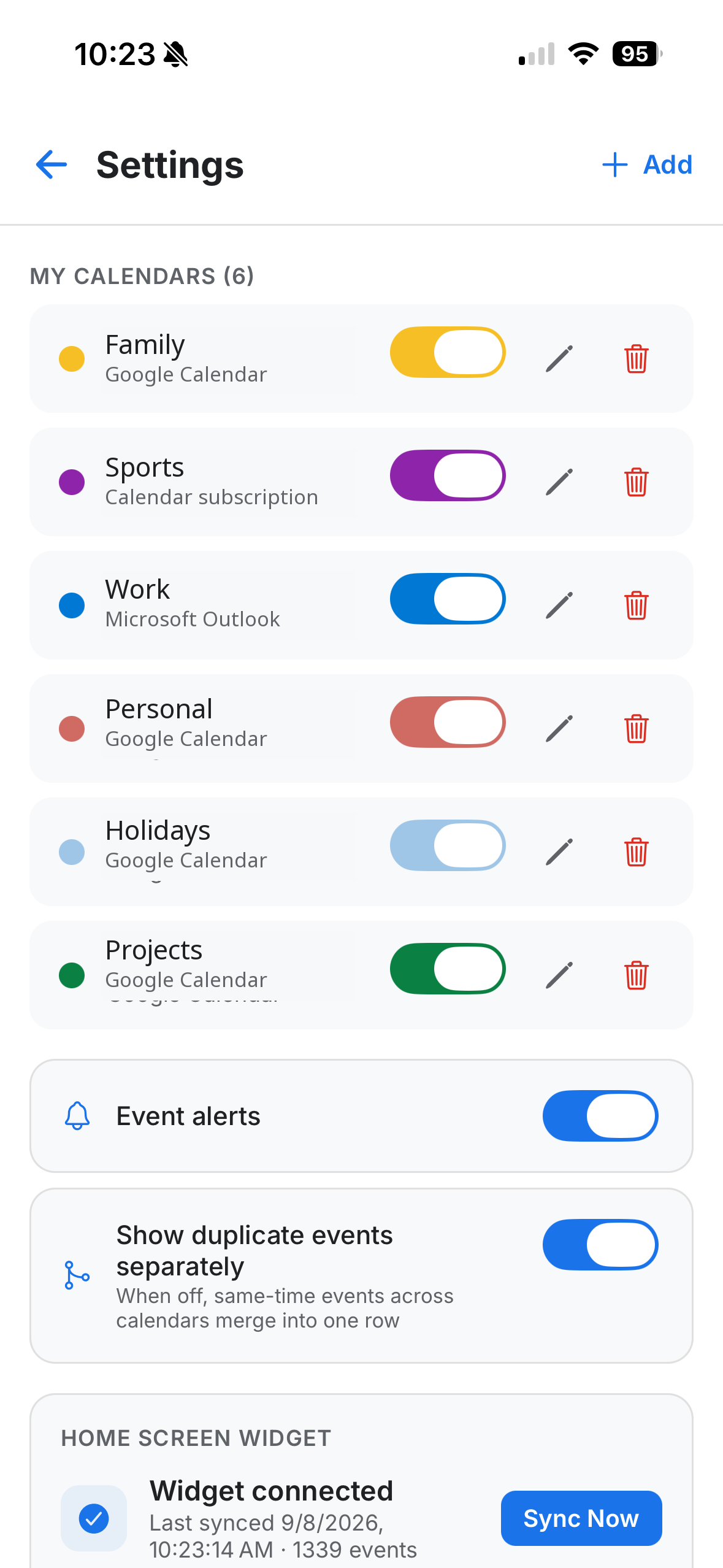
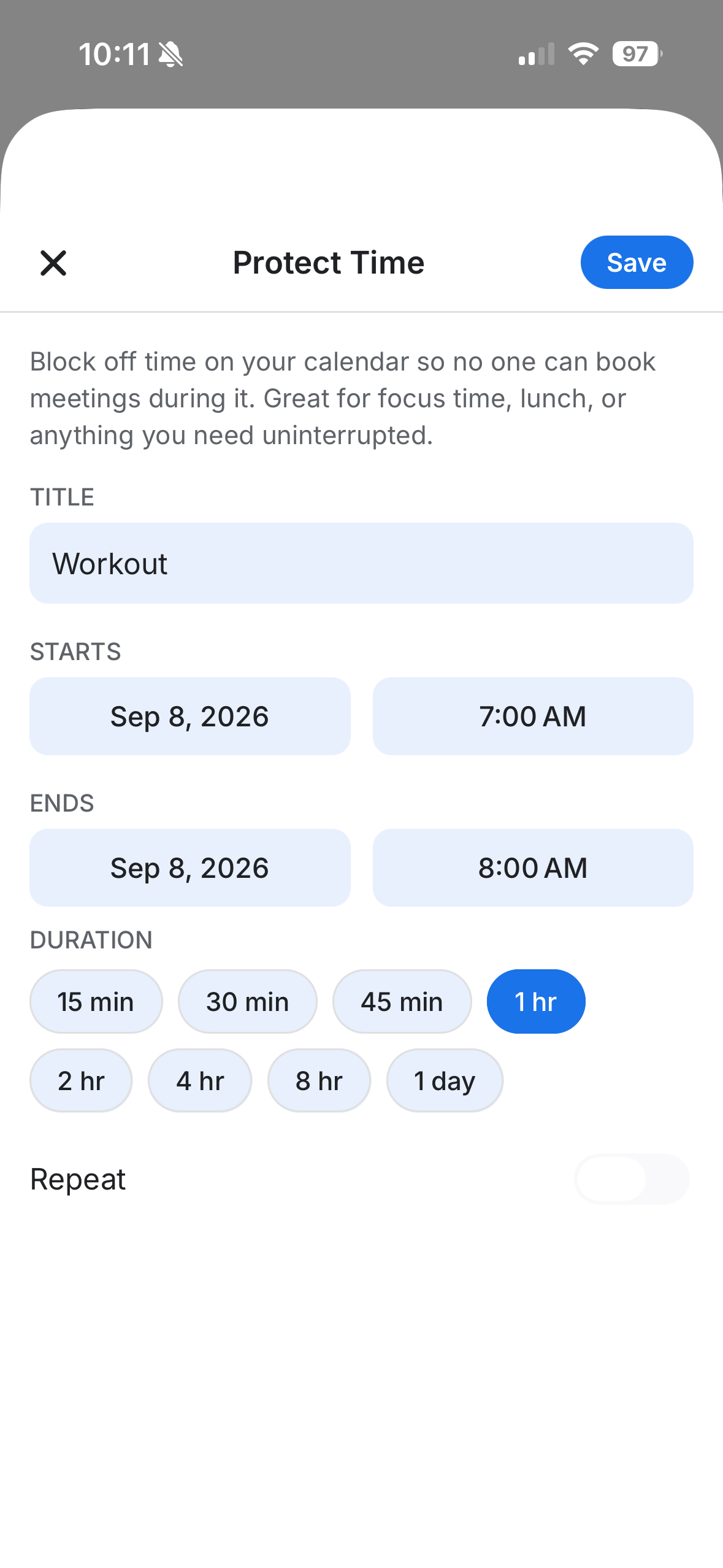
Drop in Focus blocks and recurring holds so nothing eats your deep work.
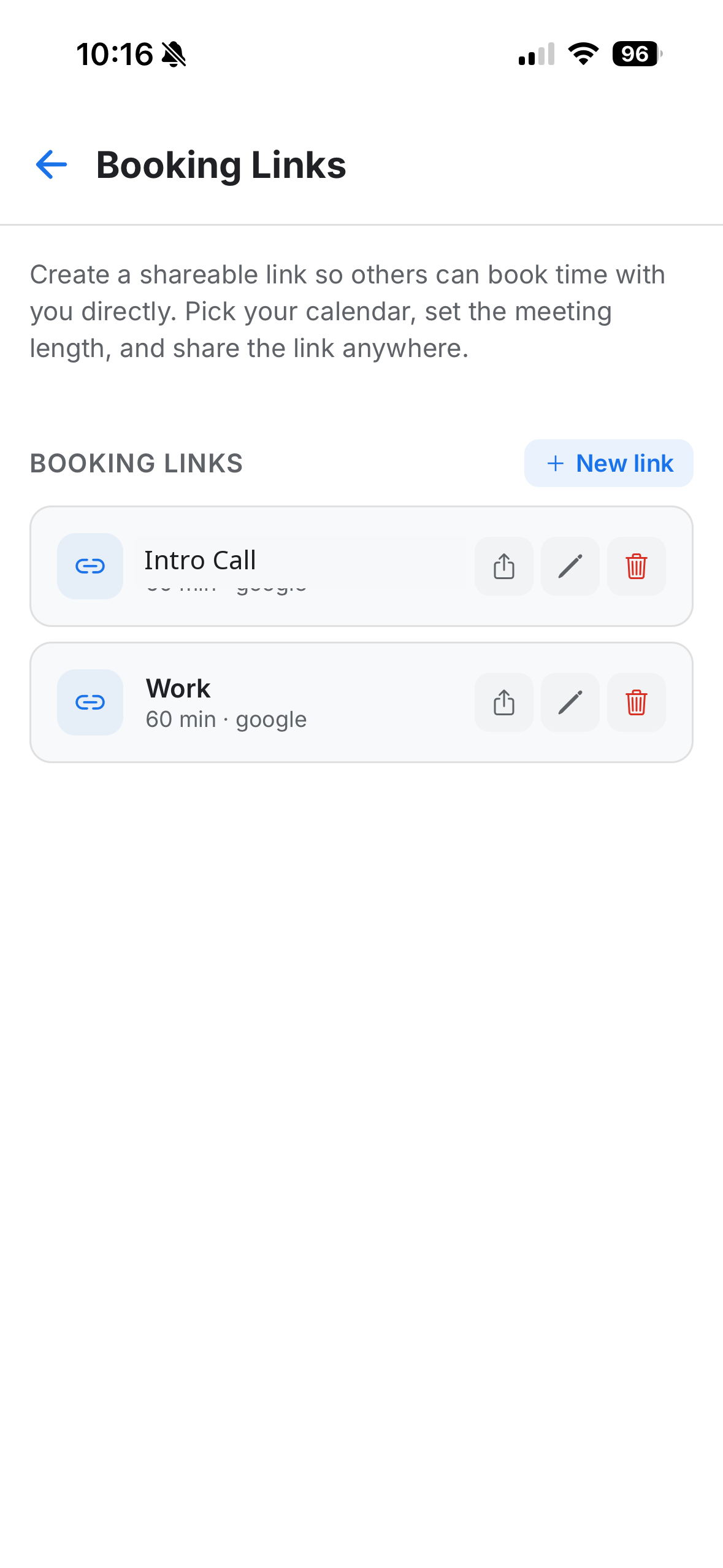
Send a single URL. Guests pick a slot in their timezone — held for 10 minutes.
A look inside
From a unified month view to search, focus blocks, booking links, and connected accounts — here's what the whole experience looks like on your phone.
Swipe to explore →
Pro
The free version organizes your time. Pro protects it — and lets the right people book the gaps.
For anyone who wants one unified view.
forever
Everything in Free, plus scheduling tools.
or $39.99/year
What you get
Free
Pro
Booking Links
Shareable booking links
Send a link and let people pick a time that actually works.
Availability across every calendar
Checks all your connected calendars at once. Never double-booked between work and personal.
Choose where bookings land
Pick exactly which calendar new bookings are added to.
Set your own rules
Meeting length, buffer time, available hours and days, and minimum notice before someone can book.
Bookers see their own time zone
They pick a slot in local time; it lands correctly on your calendar.

Find a Time
Find a time, instantly
Tell OCTRuTA how long you need and when to look — it scans every calendar for open slots.
Sensible suggestions only
Respects preferred hours and leaves breathing room. No 6 a.m. slots, no back-to-back jams.
One tap to schedule
Pick a suggested slot and OCTRuTA creates the event for you.

Protected Time
Protect your personal time
A workout, family dinner, focus block — booking links treat it as busy.
Recurring protection
Protect time that repeats, like a standing weekly workout or every evening with family.
Control which links it affects
Hide it from your work link while keeping it bookable on a personal one — or block them all.
See it at a glance
Protected time is visually distinct on your calendar, so you always know what's yours.
Undo anytime
Remove protection whenever plans change and free that time back up.
Free to start. Pro from $4.99/mo or $39.99/year.
From the beta
I stopped accidentally booking work meetings during my kid's pickup. That alone was worth it.
Finally — one place to see work, personal, and my partner's shared calendar. The booking link respects all of it.
Find a Time is wild. It surfaces slots I'd never have spotted scrolling through three apps.
Private by design
Your calendar account tokens are encrypted at rest. We never see your password.
We don't run ads and we don't sell data. Our only tracking is install attribution — knowing which campaign led you to us — never ad targeting or profiling.
Your events are cached locally so the app is fast offline — and there's nothing to leak in a server breach.
FAQ
Google Calendar, Apple iCloud, and Microsoft Outlook (personal and work/tenant accounts). You can also subscribe to any private iCal feed URL to pull in calendars that don't live in a major account.
OCTRuTA is a full mobile calendar app first — Calendly-style booking links are built in, but you also get a unified multi-account calendar view, Find Time, and Protected Time in one place.
No. Anyone with your booking link visits a timezone-aware web page, picks a slot, and gets a 10-minute hold while they confirm — no signup required.
Shareable booking links with rules and per-calendar routing, the Find-a-Time tool, and Protected Time blocks (including recurring protection and per-link controls). Everything else — connecting calendars, editing events, widgets, attachments, offline access — is free.
About $4.99 per month or $39.99 per year (a 33% saving). Pricing is handled by the App Store and Google Play through RevenueCat.
Yes. No ads, and we never sell your data. The app does include a lightweight attribution SDK that tells us which marketing brought a user to OCTRuTA — that's the only tracking we do, and it's never used for ads or building a profile on you. Your calendar credentials are encrypted and most of your data stays on your device. OCTRuTA only accesses what's needed to display events and compute availability.
Yes. Your events are cached on your device, so you can check your schedule even without a connection. Changes sync back to the source calendar as soon as you're online.